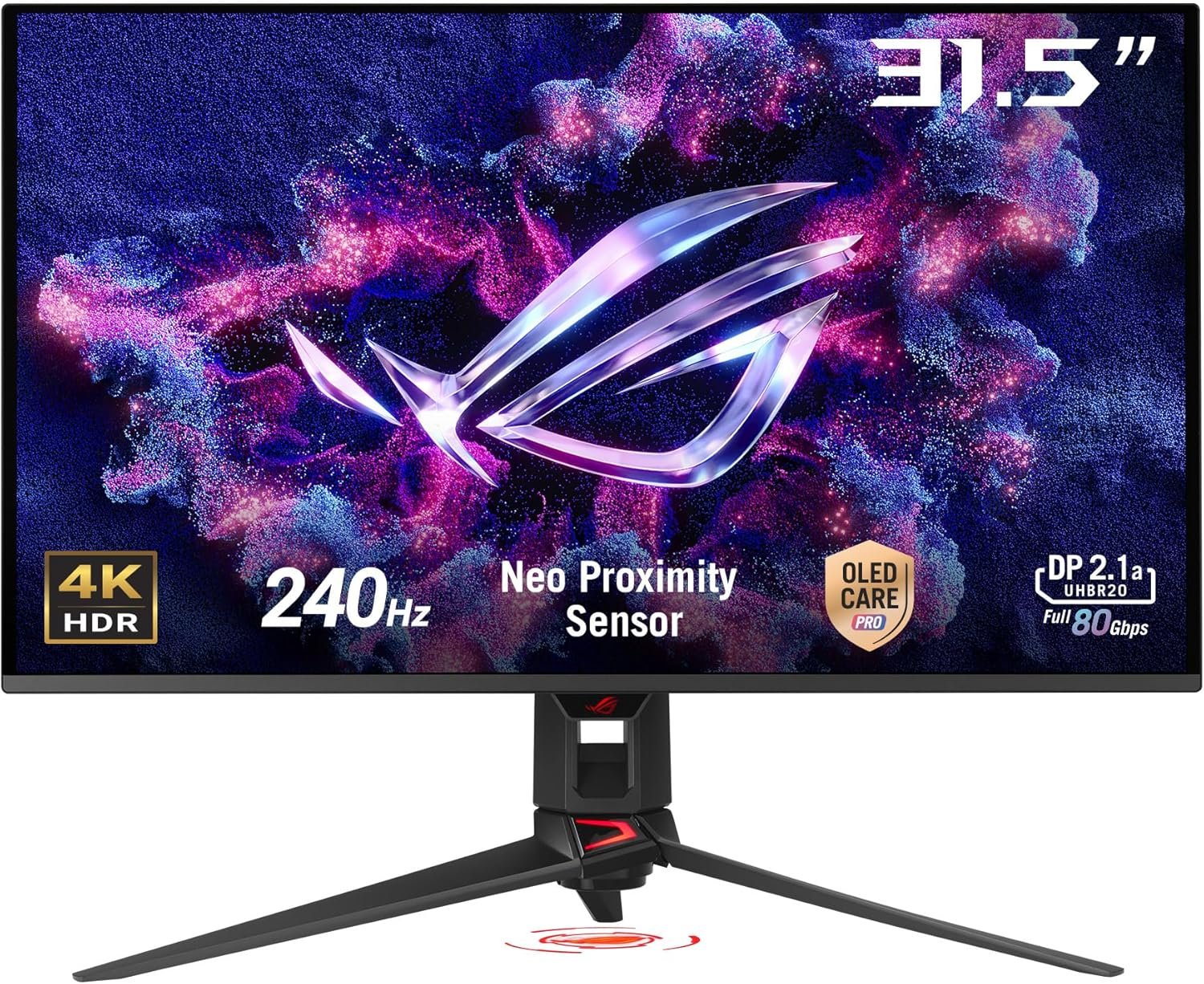
ASUS ROG Swift 32” 4K OLED Gaming Monitor (PG32UCDMR) ― 4K (3840 x 2160)
Next-Gen Monitor Deep Dive
The Quantum-Dot Vanguard: ASUS ROG Swift PG32UCDMR 32″ QD-OLED Review
The premium gaming monitor segment has shifted from iterative refresh rate increases to a battleground of deep emissive self-lit pixels and subpixel structural refinements. The introduction of the ASUS ROG Swift 32″ 4K QD-OLED (PG32UCDMR) establishes its position by marrying a breathtaking 240Hz refresh rate with the color purity of quantum-dot self-emitting architecture. Targeted directly at high-end esports competitors and media production houses alike, this display attempts to bypass traditional visual compromises by offering instantaneous response metrics alongside near-perfect cinematic color parameters.
For visual professionals, dedicated PC gamers, and hybrid developers who spend their days looking at complex lines of code, standard IPS and VA panels force a difficult compromise. You are forced to choose between the pure, vibrant speeds of backlit liquid crystal arrays and the dark, deep contrast ratios of localized dimming solutions.
Housed in an aggressively styled, structurally sound cyber-chassis, the ASUS Swift PG32UCDMR sidesteps these traditional design barriers. By integrating an advanced 3rd-generation QD-OLED panel, the monitor delivers self-illuminating pixel control and near-instantaneous 0.03ms pixel transitions, allowing users to experience unprecedented visual fluidity under high-frame-rate conditions.
The Quantum-Dot Matrix: Panel Technology & Color Performance
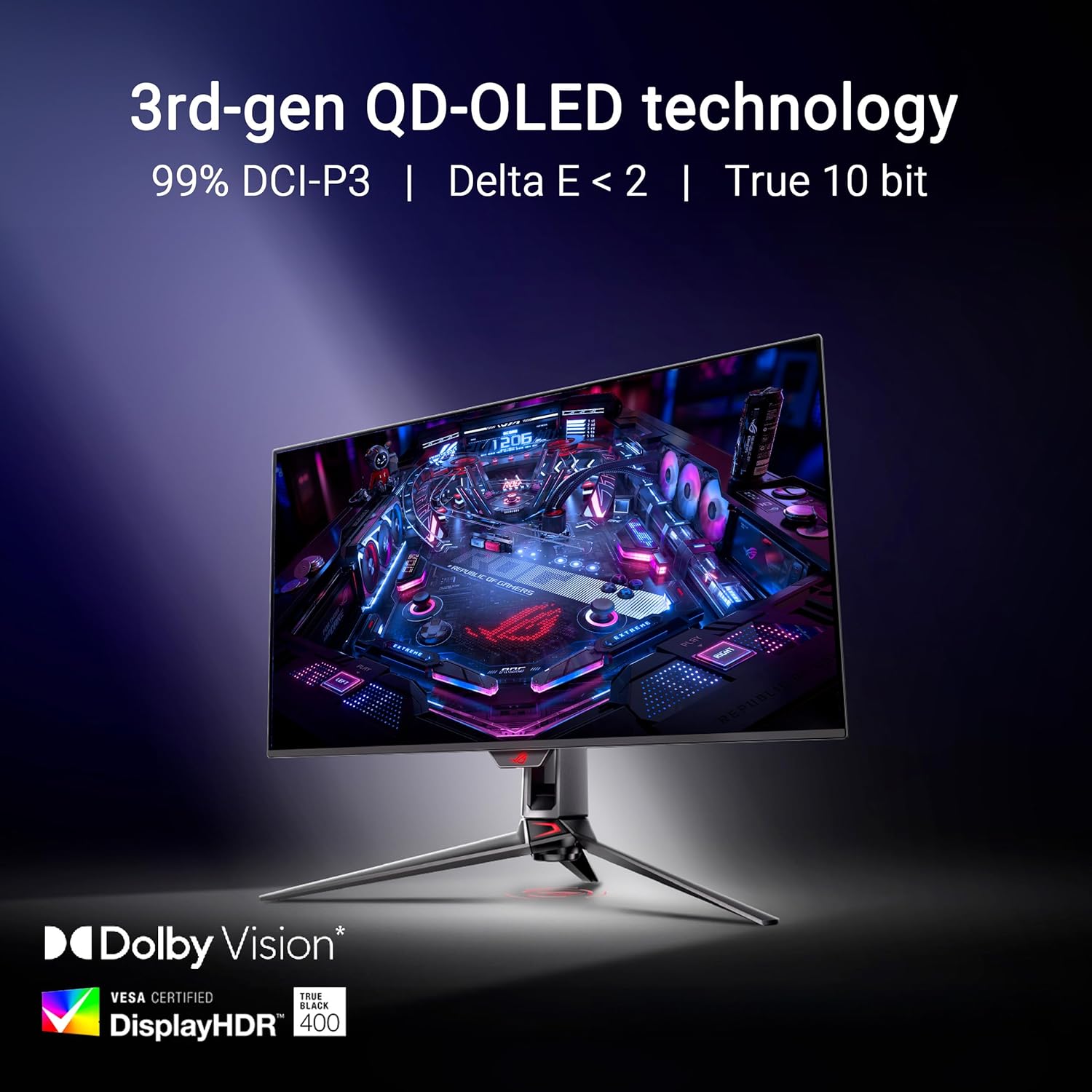
Underneath the anti-reflective matte coating lies a 3rd-generation QD-OLED panel, precision-engineered to produce unmatched color purity. Traditional OLED screens rely on a yellow/blue phosphor combination filtered through a color array, which can limit the absolute luminance of pure red and green pixels. QD-OLED bypasses this thermodynamic bottleneck by projecting blue light through a layer of highly efficient quantum-dot nanocrystals. These crystals instantly convert the light to pure primary colors with virtually zero energy loss, allowing the PG32UCDMR to cover a staggering 99% of the demanding DCI-P3 color space.
For text-heavy workloads and productivity, this 3rd-generation layout also introduces a vital subpixel structural adjustment. By refining the physical shape and boundary limits of the subpixels, ASUS and panel developers have vastly reduced the microscopic color fringing that plagued early-generation QD-OLED screens when displaying black text on a white canvas. While text is not entirely immune to fringing on extremely close inspection compared to standard RGB striping, the 4K (3840 x 2160) resolution on a 31.5-inch panel packs a dense 140 pixels-per-inch (PPI), ensuring that vector graphics and rendering code remain exceptionally crisp.


240Hz / 0.03ms Response
Features an esports-grade 240Hz refresh rate combined with a near-instantaneous 0.03ms (GTG) response time, completely eliminating ghosting and ensuring absolute motion resolution clarity.
Advanced OLED Care Pro
Incorporates proprietary cooling technology and a Neo Proximity Sensor that dynamically detects user presence, dimming the panel when you walk away to prevent panel wear and burn-in.
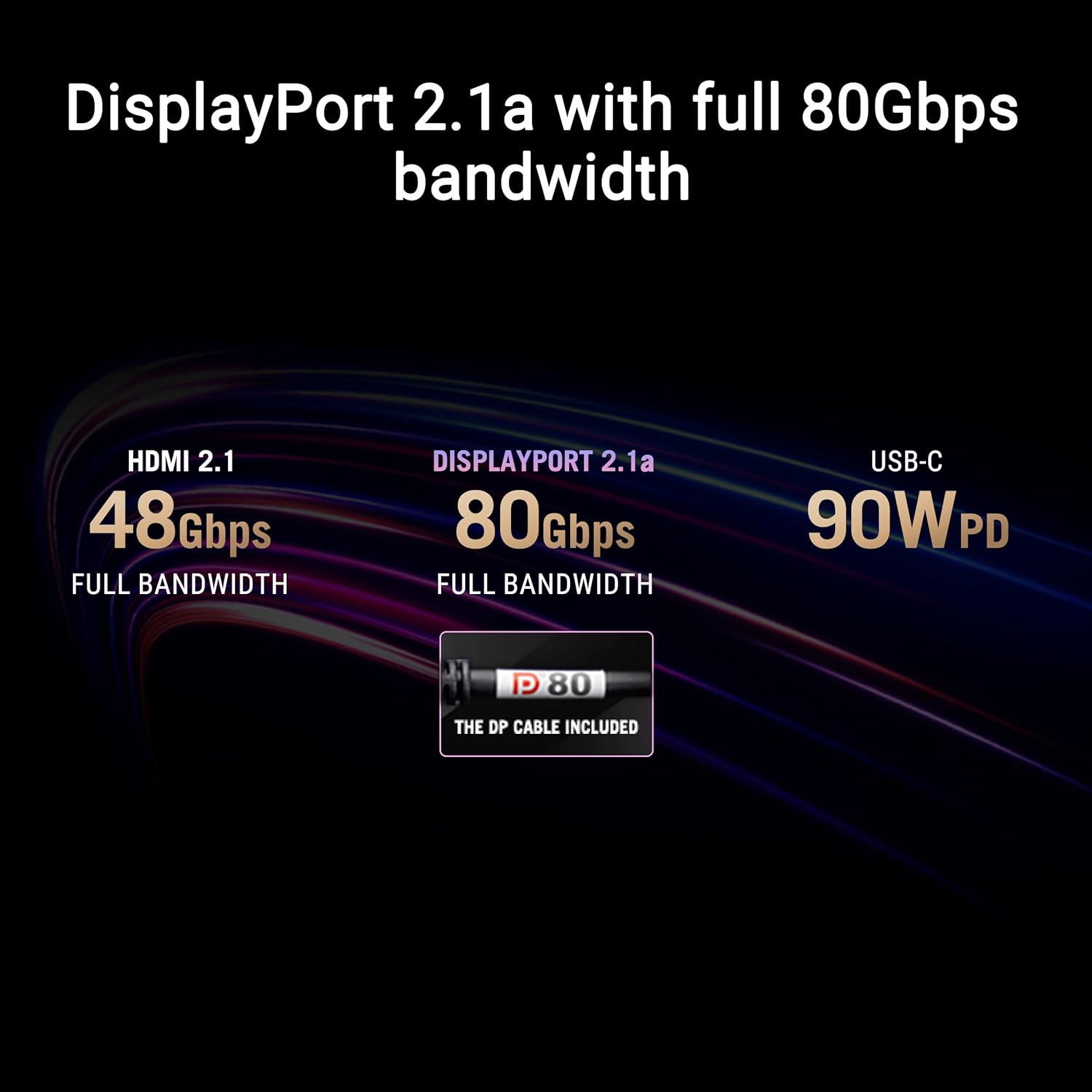
USB-C 90W Power Delivery
Simplifies single-cable laptop integration. The high-speed USB-C interface handles DisplayPort Alt-Mode while simultaneously supplying 90 watts of stable power to charge premium mobile workstations.
OLED Care Pro: Combating Emissive Degradation
The primary concern surrounding the adoption of self-emitting pixel technology is physical degradation over time, commonly referenced as burn-in. Because each organic pixel generates its own light and heat, static UI elements (such as taskbars or dashboard borders) can wear out local pixels faster than the surrounding matrix. ASUS addresses this through their custom **OLED Care Pro** suite. The standout physical addition is the integrated **Neo Proximity Sensor**. This hardware sensor detects human motion in front of the screen. If you leave your desk to grab a coffee, the monitor recognizes your absence, immediately dimming or turning black after a short delay, dramatically reducing panel fatigue.
Behind the display matrix, ASUS has also implemented a highly robust thermal solution. The monitor uses a custom passive heatsink paired with a specialized graphene film layer applied directly behind the OLED panel. Graphene’s exceptional thermal conductivity allows heat to spread evenly across the chassis rather than pooling behind hot spots like the power delivery boards or input processors. By running entirely fanless, the PG32UCDMR achieves reliable cooling without introducing mechanical wear or noise, ensuring your long-term 3-year warranty (which explicitly covers burn-in) remains a safety net rather than a frequent necessity.
DisplayPort 2.1 & DisplayWidget Control Systems
Unlocking the massive bandwidth of native 4K at 240Hz without relying on aggressive Display Stream Compression (DSC) requires advanced interfaces. The inclusion of **DisplayPort 2.1** ensures that this monitor remains future-proofed for next-generation GPU platforms. This high-bandwidth pipe is supported by a full selection of HDMI 2.1 ports and a 90W USB-C port, transforming the monitor into a functional docking station. The integrated KVM switch allows you to seamlessly toggle control of your main desktop rig and a connected laptop using a single keyboard and mouse set.
For users who dislike navigating complex physical joysticks behind the screen bezel, the **DisplayWidget Center** software provides direct OS-level control over the monitor’s settings. With a simple mouse drag, you can adjust OLED Care parameters, alter color profile presets, or configure custom window partition arrays. The software interacts directly with the monitor’s firmware over the USB upstream connection, providing immediate, painless adjustments to your creative or competitive workstation.
Technical Specifications Matrix
| Panel Technology | 31.5-inch 3rd Gen QD-OLED (Quantum-Dot Self-Emitting) |
|---|---|
| Native Resolution | 4K UHD (3840 x 2160) at 16:9 Aspect Ratio |
| Max Refresh Rate / Response | 240 Hz / 0.03 ms (Gray-to-Gray) |
| Luminance Standards | VESA DisplayHDR 400 True Black / up to 1000 nits Peak (3% window) |
| Color Performance | 99% DCI-P3 Gamut / True 10-bit / Factory Delta E < 2 Calibration |
| Anti-Reflective Treatment | ASUS Matte Screen Surface Coating |
| Interactive Software | ASUS DisplayWidget Center (OLED Care & Setting adjustments) |
| Primary Video Inputs | 1x DisplayPort 2.1 , 2x HDMI 2.1, 1x USB-C (Alt-Mode & 90W PD) |
| Factory Warranty | 3 Years (Fully covering Burn-In and Advanced Replacement) |
Product Evaluation: Pros & Considerations
Pros
- 3rd Gen QD-OLED delivers jaw-dropping, infinite contrast with absolute pixel-level black values.
- Complimentary 99% DCI-P3 color gamut with strict Delta E < 2 factory accuracy for video editing.
- State-of-the-art Neo Proximity Sensor aggressively protects against burn-in without manual user effort.
- DisplayPort 2.1 and 90W USB-C PD offer pristine high-bandwidth future-proofing and clean laptop docking.
Consider Alternatives If
- You strictly prefer glossy screen finishes; the matte surface slightly diffuses reflections but can raise blacks under direct overhead lighting.
- Your workspace setup requires integrated high-power desktop speakers (this monitor focuses strictly on audio output).
- You frequently view extremely high-contrast fine text at close range; minor subpixel color fringing is still mechanically visible under inspection.
- Your GPU lacks the necessary DisplayPort 2.1 or high-spec HDMI outputs to drive 4K at 240Hz natively.
Frequently Asked Questions
What are the specific operational benefits of the Neo Proximity Sensor?
The Neo Proximity Sensor uses advanced proximity detection to recognize when you leave the physical area of the monitor. When it registers your absence, it automatically switches the screen black or dims the brightness, entirely eliminating static screen wear from open windows or idle desktops. The moment you return to your seat, the display instantly wakes up, ensuring frictionless protection without ruining your workflow.
Is the Matte anti-glare screen coating superior to a Glossy screen coating?
This is a matter of lighting preference. The PG32UCDMR’s premium matte coating is exceptional at scattering harsh ambient glare and overhead office light reflections, keeping the image highly legible in bright rooms. However, in dim, light-controlled environments, a glossy finish can produce a slightly punchier perception of black levels, as direct bright light hitting a matte QD-OLED panel can slightly elevate the black floor to a dark gray tint.
Does the ASUS 3-Year Warranty actually cover burn-in or pixel retention issues?
Yes, ASUS includes a comprehensive 3-year warranty that explicitly covers burn-in and pixel retention issues. Under this policy, if your panel suffers from visible static image retention during normal usage, ASUS will repair or replace the panel. The policy also includes an Advanced Replacement program, minimizing your system downtime if a replacement is authorized.
This post contains affiliate links. #CommissionsEarned
As an Amazon Associate, I earn from qualifying purchases. This expert editorial review is based on an objective, comprehensive analysis of physical technical specifications and aggregated consumer feedback. I have not been compensated by the manufacturer to publish this review. Product prices, shipping schedules, and item availability are managed entirely by Amazon US and are subject to change without notice.